
Moraltel Secure 2FA
Moraltel Secure is proud to announce the arrival of 2FA (Two-Factor Authentication) for all user portal accounts. We chose Google Authenticator because of the reputability it has among businesses and IT Security Specialists.
2FA provides a 2nd layer of security to keep cyber criminals away from infiltrating your business’s sensitive data.
This extra layer of security is stronger than using only a username and password, therefore making it more difficult for unauthorized users to gain access to accounts that do not belong to them.
Not only will the account administrator of your business or organization be able to set up 2FA, but each and every agent in your business or organization will be able to add Google Authenticator to their Moraltel Secure login as well.
Switch to Moraltel Secure today.
For more information, continue reading below or call a
Moraltel Secure Consultant at 1-844-200-5171.
Logging in with Google Authenticator
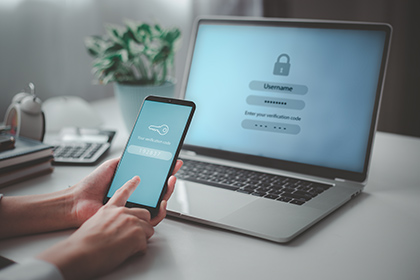
Each time you or your agents log into our user portal at portal.moraltelsecure.com, you will be asked to:
- Open the Google Authenticator on your mobile device,
- Locate the code for your Moraltel Secure account.
- Enter the code into the verification field on the login screen at portal.moraltelsecure.com.
Now you’re logged into you’re Moraltel Secure user portal account without it being possible for unauthorized people to trail you. Google Authenticator discourages cyber criminals from making login attempts to your account.
2FA Frequently Asked Questions
How easy is it to install Google Authenticator?
Google Authenticator is easy to install in about 5 minutes or less. In your Moraltel Secure user portal account you will:
- Click your name in the top right area of your user portal account page.
- Click “Profile”.
- Then click “Set Up Google Authenticator”.
- Next, you will follow some final steps that involve a QR code and a 6-digit passcode that is generated in the Authenticator app.
Why did Moraltel Secure choose Google Authenticator for 2FA?
Google is a global technology company that specializes in internet-related services and products that people across the world heavily rely on. Therefore, it is easy for businesses to make Google Authenticator their choice for 2FA. Google Authenticator is free, easy to use and has proven to be very reliable.
What if a 2FA device is lost or codes can't be accessed?
If your device is lost or stolen, contact us at 1-844-200-5171. One of our agents will explain what you should do if your device is lost or stolen
If I or any of the agents working in my company obtain a new device, how easy is it to transfer Google Authenticator to a new device?
Google Authenticator can be transferred to a new phone by either syncing the Authenticator codes to a Google Account or by exporting accounts from the old device as a QR code and importing them to the new device. If you need assistance with following this procedure, contact us at 1-844-200-5171.
If you have any more questions about 2FA, we welcome you to talk or chat with one of our knowledgeable and friendly sales agents by visiting our Contact Us Page.